
Black Centered - BLK Maker
AthenaHotCArt & Design
3.635.00 Reviews
- Version
- 1.1.0
- Installs
- 100.00K
- Age Rating
- Everyone
Screenshots
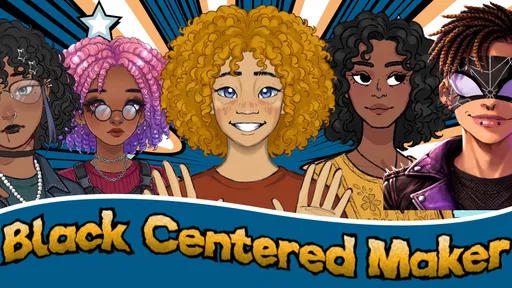
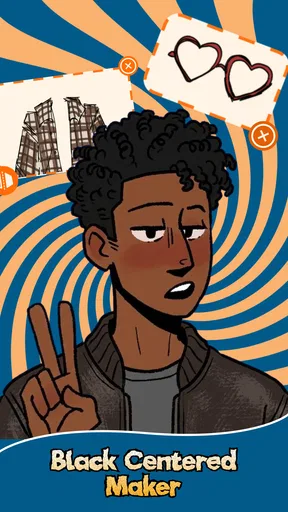
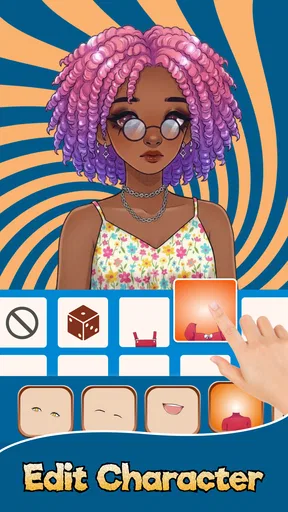

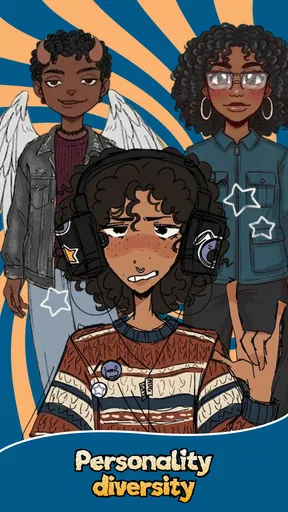
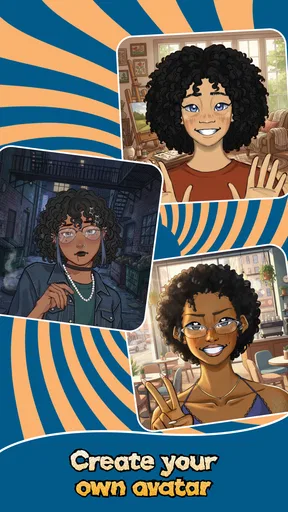
Our Review of Black Centered - BLK Maker
 Analysis by Appyee
Black Centered - BLK Maker is the kind of art and design app that makes sense the moment you understand its focus: creating a character with a Black-centered visual identity and adjusting that character until it feels personal. I spent time with it as a casual character-making tool rather than treating it like a full illustration studio, and that distinction matters. It is free, rated for Everyone, and developed by AthenaHotC, so the barrier to trying it is low. The real question is not whether it is easy to open and experiment with, but whether the creative spark lasts after the first few sessions.
My first impression was positive because the concept is clear. Instead of asking me to learn a large drawing workflow, the app points me toward building a recognizable character. That makes it approachable for someone who wants a profile image, a simple visual identity, a character reference, or just a relaxing design activity. It also gives the app a more specific personality than a general-purpose drawing canvas. I am not starting with a blank page and wondering what to do; I am making choices within a focused creative idea.
What the first week feels like
The first week is where BLK Maker has its strongest pull. I could open it with a simple goal, make a few changes, and quickly see the character becoming more distinct. That short path from idea to result is important on a phone. A traditional drawing app may offer more power, but it can also make a beginner spend more time choosing brushes, layers, colors, and canvas settings than actually designing anything. This app feels better suited to those small windows when I want to create something without committing to a long session.
The Black-centered approach is also more meaningful than a generic avatar generator because it gives the character a defined cultural and visual direction. That does not automatically make every result unique, but it gives users a starting point that may feel more relevant than the default styles found in many avatar tools. I appreciated that the app’s identity is easy to understand rather than hidden behind a broad collection of unrelated templates.
During an ordinary week, I can imagine using it after deciding to refresh a social profile, create a character for a personal story, or make a visual prompt for a larger illustration. A useful workflow is to begin with a rough mood instead of trying to perfect everything immediately. I would first make the broad choices that establish the character, then leave small adjustments for a later session. That prevents the app from turning a quick creative break into an overly fussy editing task.
Another practical use is preparing a consistent character concept before moving to a more advanced art app. BLK Maker can act as a planning step: I can settle the character’s general appearance here, save or use the result as a reference, and then draw a more detailed version elsewhere. It is not necessary for every user, but this is one of the better ways to get lasting value from a focused tool. Instead of expecting it to replace a full illustration suite, I use it as a fast visual sketchbook for character direction.
Why the focused concept helps beginners
People who are uncomfortable with drawing may find the app less intimidating than a blank canvas. The decisions are concrete, and the result is visible quickly. That makes it suitable for a young user under the Everyone content rating, a casual creator, or someone who wants to explore character design without studying anatomy or digital painting first.
There is also a social advantage to a clear visual theme. When I show a character made with a specialized tool, the result has a recognizable point of view. It does not feel like I simply selected a random generic icon. For users who want representation in a personal avatar or character concept, that focus can be the main reason to choose this app over a broad avatar maker.
Still, the first-week appeal depends on enjoying customization itself. If I want to draw expressive poses, build a scene, or control every mark, the app’s focused format will feel restrictive. A drawing app with layers and brushes is the better choice for that kind of work. BLK Maker is most convincing when the goal is a designed character, not a complete finished illustration.
Small workflows that make the app more useful
One tip I would give a new user is to create variations instead of endlessly polishing a single design. I get more value by testing a few different directions—such as a calmer look, a bolder look, and a version that feels suitable for a profile image—before deciding which one has the strongest identity. This turns the app from a one-result novelty into a compact idea generator.
A second useful habit is to judge the character at the size where it will actually appear. A design that looks appealing while editing may lose its personality when reduced to a small profile image. I would periodically step back from the details and ask whether the silhouette, face, and most noticeable choices still read clearly. That is a general design principle, but it is especially useful here because the app’s main reward is a character that communicates quickly.
A third approach is to use the app before writing rather than after. If I am inventing a character for a short story, comic idea, or role-playing concept, making the visual first can reveal personality traits I had not planned. The character may suggest a different tone or background, giving the writing a stronger starting point. That is a more interesting long-term use than producing disconnected avatars whenever the initial excitement returns.
Does it keep earning a place after the novelty?
In the first month, the answer depends on whether I have recurring reasons to create or revise characters. Someone who regularly works on stories, social identities, mood boards, or personal art projects can return to it with a purpose. Someone who only wants one avatar may finish the main task quickly and have little reason to open it again until a new project appears.
That is not necessarily a weakness. Many creative utilities are valuable because they solve one narrow problem well. The mistake would be expecting a character maker to provide the endless variety of a full art platform. For me, the app earns repeat use when I treat it as a character laboratory: I return to test a new concept, compare variations, or prepare a reference for another project.
The current version is 1.1.0, and the app was released on April 3, 2025. Since it is still a relatively young product, I would judge its lasting value by how well its core creation loop serves my needs rather than by expecting the breadth of a mature design suite. The early version can be appealing precisely because the purpose is uncomplicated, but a narrow tool has to remain satisfying through repeated small projects.
Its reach is already meaningful for a focused app, with over one hundred thousand installs and an average rating of 3.6 from more than six hundred ratings. I read that combination as a sign of real interest with mixed experiences rather than universal approval. The score is not a reason to dismiss it, but it does encourage me to approach it as a specific tool with trade-offs. I would try it for free before deciding whether it belongs in my regular creative routine.
Where recurring value comes from
The strongest recurring value is speed. If I need to explore a visual idea without opening a complex editor, the app can reduce the distance between thought and image. That matters for brainstorming, especially when I do not yet know whether an idea deserves a polished drawing. A quick character version can tell me whether the concept has enough personality to develop further.
It can also support consistency. When I am building a small set of related characters, returning to the same focused tool may help keep the visual language coherent. I would not rely on it for every detail, but using the same starting point can make a group feel more connected than mixing unrelated avatar services.
There is a useful trade-off here: the app’s limitations may actually help me make decisions. A huge design system can create choice fatigue, while a narrower character maker pushes me to focus on the identity of the subject. For a beginner, that can be productive. For an experienced illustrator, it may feel like a ceiling.
The maintenance burden is low, but not zero
BLK Maker does not demand a complicated maintenance routine from me. I do not need to organize a professional asset library just to enjoy it, and the basic act of creating a character is easy to revisit. The main maintenance burden is personal: I have to give myself a reason to return. Without a project, the app can become something I open once, make a character with, and forget.
I would keep its role clear on my device. It is not my main drawing workspace, my photo editor, or my complete avatar ecosystem. It is a focused character-design app. That simple mental label helps prevent disappointment and makes it easier to decide when it is the right tool.
For a recurring workflow, I would keep a small note of character ideas outside the app. When an idea appears, I can return with a purpose instead of opening the editor and waiting for inspiration. I would also avoid creating dozens of nearly identical versions without a reason. A few deliberate variations are more useful than a large pile of designs that I never compare or reuse.
Storage and organization can become the practical friction point for any character-making app, especially if I create many versions. I would name or group finished designs according to their purpose when possible, such as profile, story reference, or experiment. That makes the results easier to find later and turns casual creations into reusable material.
What may cause fatigue over time
The biggest source of fatigue is repetition. If the available creative decisions begin to feel familiar, the first-week excitement can fade quickly. This is the central challenge for a specialized maker: its clarity is also its boundary. I may enjoy the first few characters because each choice feels fresh, then feel that later designs are variations on the same visual conversation.
Another source of fatigue is wanting more control than the app is designed to offer. I may have a very specific pose, expression, outfit, or proportion in mind, but a focused creation tool can only be satisfying if its available choices are close enough to that idea. When the desired result is precise, I would move to a drawing app rather than forcing BLK Maker to behave like one.
There is also a difference between customization and authorship. Adjusting a character can feel creative, but it is not the same as drawing every element from scratch. Users who want complete ownership of line quality, texture, lighting, and composition may eventually feel that the app produces a starting point rather than a finished personal artwork. That is a fair limitation, not a flaw, as long as expectations are realistic.
I would also be cautious about using it as the only source of visual identity for a larger project. A character made here may be useful as a reference, but a comic, game concept, or illustrated story usually needs additional work to establish poses, expressions, environments, and consistency across scenes. The app can begin that process, but it should not be mistaken for the whole pipeline.
How it compares with familiar alternatives
Compared with a general avatar maker, BLK Maker’s advantage is its more specific Black-centered direction. A broad avatar app may offer more unrelated styles or a larger mix of character types, but it can also feel less intentional. I would choose this app when the identity and cultural focus are central to what I want to create, not merely when I want the largest possible menu.
Compared with a drawing app, it is faster and friendlier at the beginning. I can explore a character without learning a brush system or managing layers. The drawing app wins when I need detailed control, original poses, painted backgrounds, or a polished illustration. These products are not direct substitutes for me; one is a guided character tool, while the other is an open-ended workspace.
Compared with a profile-picture generator, the app feels more useful for concept development. A profile service often emphasizes a quick final image, whereas I can approach BLK Maker as a place to think about who the character is and how that identity should look. If all I need is a professional headshot or a highly realistic portrait, I would look elsewhere. If I want a stylized character with a clear point of view, this is more relevant.
Who should try it, and who should skip it
I would recommend giving it a try if you are new to digital art, want a simple character-building activity, care about a Black-centered visual approach, or need quick references for writing and personal projects. It is also a sensible choice for people who prefer experimenting on a phone instead of sitting down with a full desktop editor.
I would skip it if your main goal is professional illustration, frame-by-frame animation, detailed photo editing, or complete control over every visual mark. I would also skip it if you are looking for an endlessly changing social experience rather than a quiet design utility. The app’s value comes from making and refining characters, not from replacing an entire creative ecosystem.
The free price makes that decision easy. I can test whether the style and workflow suit me without treating the download as a major commitment. It supports Android devices running version 7.0 or later, so compatibility is broad enough for many older phones. I would still judge the experience on the device I plan to use, because a compact creative interface can feel very different on a small screen than on a larger one.
My long-term verdict
After the novelty fades, Black Centered - BLK Maker remains useful when I give it a repeatable role. Its lasting strength is not unlimited variety; it is the ability to turn a character idea into a visual starting point with relatively little effort. I can use it for profile concepts, story references, design variations, and early-stage brainstorming, then move to a stronger art tool when the project demands more control.
My honest recommendation is to treat it as a specialized companion rather than a complete creative studio. The focused Black-centered identity gives it a reason to exist beside broader avatar makers, while the simple workflow makes it approachable for beginners. At the same time, the narrow purpose means some users will finish their main experiment quickly, and people seeking detailed artwork may outgrow it.
For me, it earns a place on the phone if I am actively developing characters or want a low-pressure way to explore visual ideas. It does not earn permanent daily status simply because it is fun during the first session. The lasting test is whether I return with new projects, and in that role it can deliver genuine recurring value. Its best use is as a quick, focused character-design companion—not as a replacement for a full illustration app.
Verdict
Strengths of Black Centered - BLK Maker
- Focused community for Black singles seeking meaningful connections.
- Profile filters make it easier to find compatible matches.
- Messaging tools support direct conversations after matching.
- Clean interface is simple to learn and navigate.
- Useful for users seeking culturally relevant dating experiences.
Limitations of Black Centered - BLK Maker
- The active user pool may vary considerably by location.
- Some features may require a paid subscription or in-app purchase.
- Match quality depends heavily on how completely users fill profiles.
- Limited activity in smaller cities can reduce potential matches.
- Users should remain alert for inactive profiles or dating scams.
Other Releases by AthenaHotC
View All
PFP Maker: Cat Emoji
Art & Design4.0

Emoji Cat Creator: PFP Maker
Art & Design3.9
Similar Picks in This Category
View All
Canva: AI Photo & Video Editor
Canva4.8

PENUP – Drawing-sharing SNS
Samsung Electronics Co., Ltd.4.5

Crafto
Kutumb App4.6

Sketchbook
Sketchbook4.1

ibis Paint X
ibis inc.4.5

Adobe Express: AI Photo, Video
Adobe4.6
Frequently Asked Questions
What is Black Centered – BLK Maker, and who is it designed for?
Black Centered – BLK Maker is a social and dating-oriented app created primarily for Black users who want to connect, discover profiles, and participate in a community centered on Black culture and identity. It may appeal to people looking for friendship, conversation, networking, or romantic connections. Before downloading, users should review the current app description and available features, since the experience can vary by location, age eligibility, and platform version.
Do I need to create an account to use Black Centered – BLK Maker?
Most of the app’s meaningful features generally require registration, because profiles, messaging, matching, and community interactions depend on an identifiable user account. During sign-up, the app may request details such as an email address, phone number, date of birth, photos, and personal preferences. Users should provide accurate information, choose a strong password, and read the privacy policy to understand how profile and activity data are handled.
Is Black Centered – BLK Maker free to download and use?
The app may be available to download without an upfront charge, but some features can require in-app purchases or a premium subscription. Free access may include creating a profile, browsing selected content, or interacting with other users, while paid options could provide additional visibility, communication tools, or profile controls. Always check the Google Play Store or Apple App Store listing for current prices, trial terms, renewal conditions, and cancellation instructions.
How safe is Black Centered – BLK Maker for meeting and communicating with other users?
As with any social or dating platform, safety depends on both the app’s moderation tools and the choices users make. Avoid sharing financial information, passwords, private documents, or your exact home address. Use blocking and reporting features when necessary, be cautious with profiles that request money or rush relationships, and arrange any first in-person meeting in a busy public place. Review the app’s community guidelines and privacy settings before becoming active.
What permissions and personal information might Black Centered – BLK Maker request?
Depending on the device and features enabled, Black Centered – BLK Maker may request access to information such as your profile details, photos, approximate location, notifications, camera, or media library. Some permissions may support profile creation, discovery, messaging, or account verification, but they are not always essential for basic use. Check the permission prompts carefully, disable access you do not need, and consult the app’s privacy policy for information about collection, storage, and sharing.
